Choose an integration mode
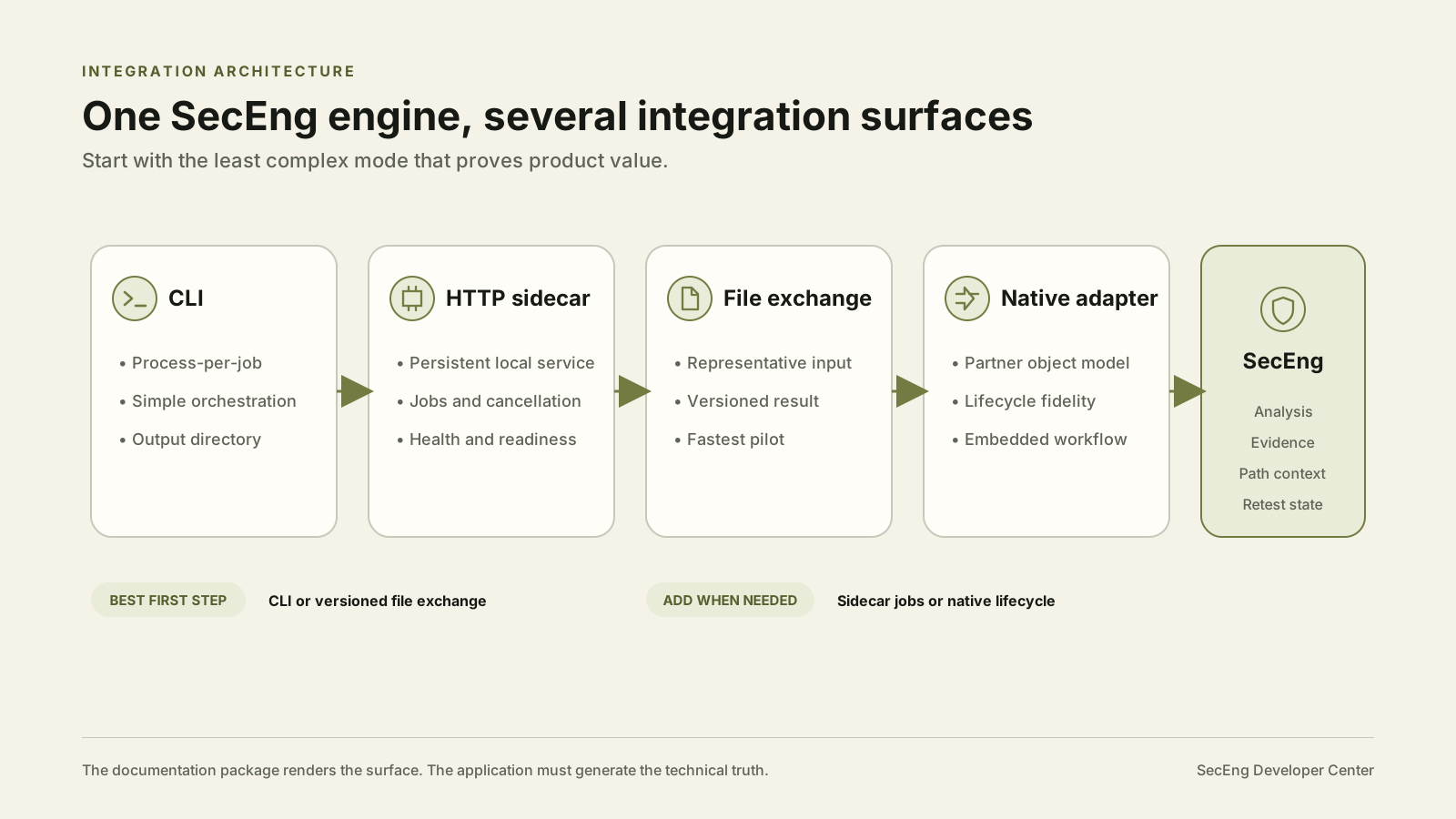
Start with the least complex mode that proves the integration, and only move up the ladder when you have a concrete reason.
- CLI. Best first integration when your product can launch a local process, control the scan lifecycle, and read an output directory. See the CLI quickstart.
- HTTP sidecar. Use a persistent local service when you need job submission, polling, cancellation, or long-running orchestration behind your own product. See the HTTP sidecar quickstart.
- Versioned file exchange. Use a representative input and structured result to prove value before either side commits to building a native adapter.
- Embedded or OEM adapter. Use a native adapter after the lifecycle and product value have already been proven in a pilot. See integration patterns and partner pilots.
What AI Security Workbench returns
Depending on the enabled capability and current release, AI Security Workbench can return:
- Structured findings
- SARIF
- Evidence bundles
- Attack-path and relationship objects, with grounded vs. inferred state kept explicit
- Remediation and chokepoint context
- Retest state
See outputs and evidence for how these are structured and what stays human-controlled.
Generated technical reference
The exact command, endpoint, schema, and error reference is generated from the shipping Workbench engine in savvy-cli — not maintained as a second, hand-authored copy here. Where a generator or stable source does not exist yet (for example, a versioned error-code catalog), the reference page says so directly instead of presenting placeholder content as current product truth. See generated reference.